


All valid FSML documents start with the XML Declaration and the
location of the Document Type Declaration (DTD). Below is an example
of the declarations lines:
<?xml version="1.0" ?>
<!DOCTYPE FileTypeSpecification SYSTEM "file:///d:\users\wood\DASI\FSMLv2.9.dtd">
Section 4 shows the DTD for FSML, quoted in the example
above as a file named d:\users\wood\DASI\FSMLv2.9.dtd.
Next, the root element, FileTypeSpecification, should be declared.
The FileTypeSpecification has the following attributes:
| Attribute Name | Description | Required |
|---|---|---|
| type | Name of the file type | no |
| description | Description of the file type | no |
| lineCommentStart | Character that indicates the entire line which follows is a comment in the file | no |
| blockCommentStart | Character that indicates the beginning of a block comment in the file * | no |
| blockCommentEnd | Character that indicates the end of a block comment in the file * | no |
| ignoreBlankLines | True/False. ``True'' strips out blank lines in pre-processing; if blanks are meaningful, set to ``False'' | no |
| delimiters | Characters that indicate a new piece of data; default is whitespace ** | no |
| ignoreMissingValues | True/False. If a missing value is encountered, ``True'' will log an error and continue processing; ``False'' causes the process to fail | no |
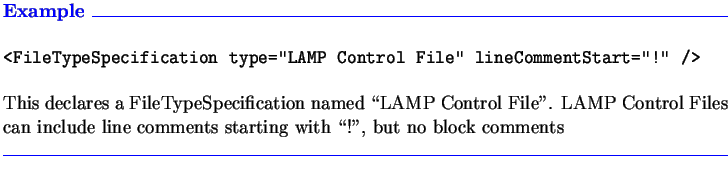
The FileTypeSpecification element must contain the FileData and FileStructure elements in turn. These two elements are detailed in Sections 2.2 and 2.3.
The FSML file must end with a tag to close the FileTypeSpecification, in the format </FileTypeSpecification>.
* A note about comments: Comments in the original application file are stripped as part of FSML preprocessing, using the blockCommentStart and blockCommentEnd attributes. The stripped comments are not retained. Therefore, comments will not be preserved in a file written by the FSML processor.
** A note about delimiters: FSML automatically uses whitespace as the delimiter when reading and writing files. Examples of whitespace are tabs, line breaks, and any number of blank spaces (`` ''). The default is whitespace. If your file is delimited by a character other than whitespace, then the delimiters attribute must be set; for example, a comma-delimited file would require an attribute of delimiters=",". Note that the specified delimiter is in addition to the default whitespace. Use of the delimiters attribute is rare.