


An array can be processed in three different ways.
Refer to the following snippet of data:
   57.43  -183.67  0.0  300.00  mild
   57.42  -182.96  0.0  301.00  mild
   57.41  -182.26  0.0  302.00  mild
   57.40  -181.55  0.0  303.00  mild
   57.39  -180.85  0.0  304.00  mild
   57.38  -180.14  0.0  305.00  moderate
   57.37  -179.44  0.0  306.00  moderate
The Array element has the following additional attributes:
| Attribute Name | Description | Required |
|---|---|---|
| ndims | The number of dimensions in this array. Note that this can be a parameter name, in which case the value of that parameter will be used | yes |
| dims | A comma-delimited list of the maximum index for each dimension. Note that an item in the list can be a parameter name, in which case the value of that parameter will be used | yes |
| baseType | The data type for all elements in this array. Must be String, Integer, or Float | yes |
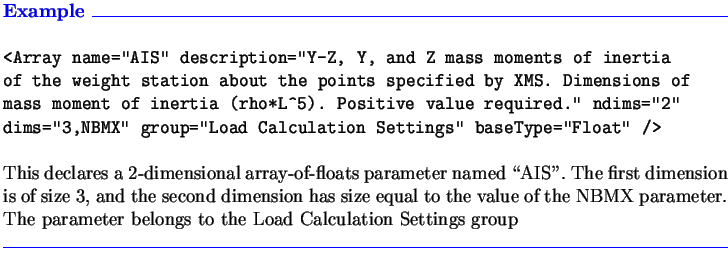
In-depth examples of processing arrays, with portions of input files and corresponding FSML coding, are given in Section 3.2.1 (vertical arrays), Section 3.2.2 (horizontal arrays), and Section 3.2.3 (multi-dimensional arrays).